You are not logged in.
- Topics: Active | Unanswered
Pages: 1
#1 2026-03-17 03:26
- seb3773
- Member

- From: France
- Registered: 2023-11-01
- Posts: 268
tdeFlasher
Hello !
Here’s the app that probably nobody was waiting for, but I made it anyway :-p
In my quest to learn tqt3 and its subtleties, I’ve been having fun trying to port a few applications (your suggestions are welcome, by the way ^^) to tqt3, to have “native” Trinity versions. My latest “victim” is balena Etcher, a very popular tool for flashing ISOs, disk images, etc.
Why port it to tqt3 when it already works under Trinity? Simple answer: balena Etcher, despite its obvious strengths—ease of use and robust security checks—is an Electron app… which means it often consumes hundreds of megabytes of RAM just sitting idle… Not very “Trinity DE” philosophy, is it?
Since fully porting an Electron app is generally a monstrous task, I took a different approach: I decided to clone the graphical interface (which, by the way, was a fun tqt3 exercise, since Etcher’s UI isn’t exactly “standard”). I then rewrote everything in C++, carefully following Etcher’s logic and methods to preserve not just its looks, but also its qualities and features. The result is a near-perfect clone, with a few intentional visual tweaks (some icons are slightly different or reimagined for this Trinity-only version), all in a 140 KB binary (compared to… 228 MB for balena Etcher ^^).
https://github.com/seb3773/tdeflasher
Debian package attached. Feedback and criticism welcome 
screenshots: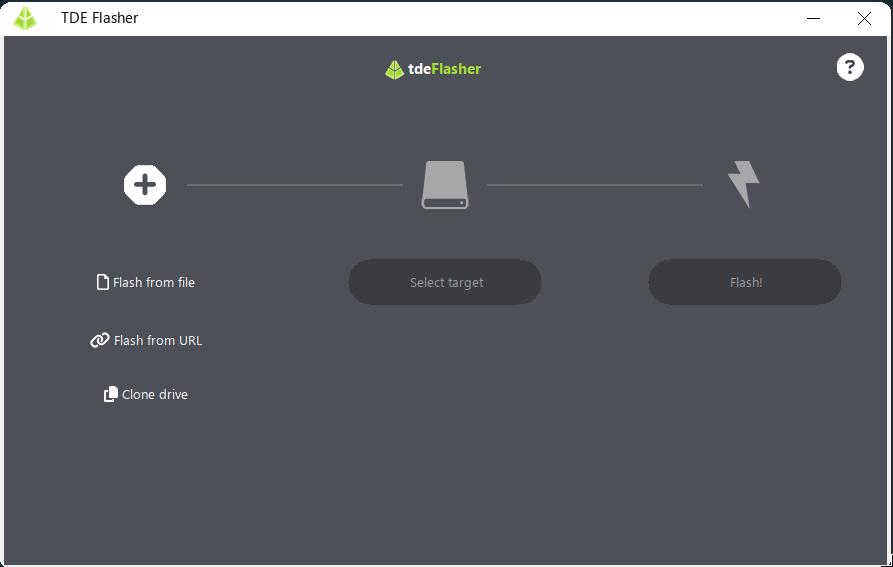
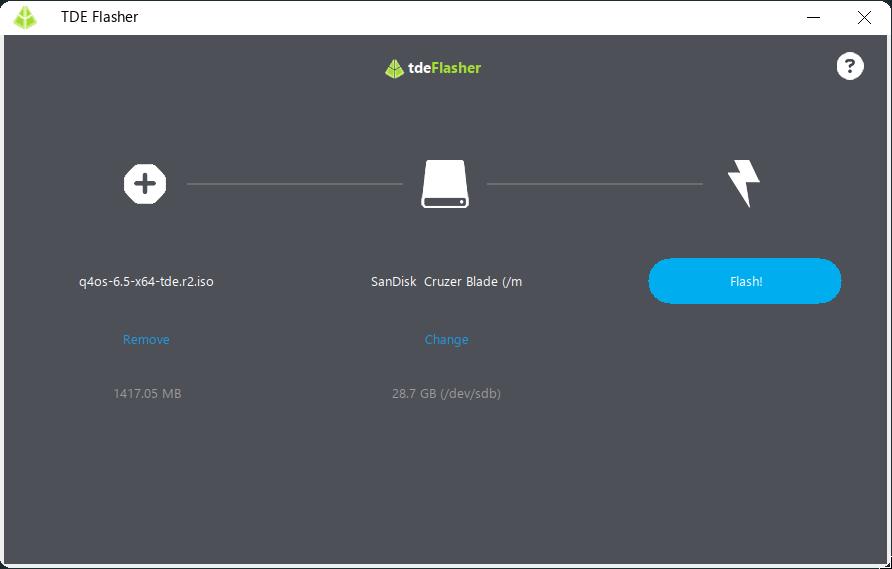
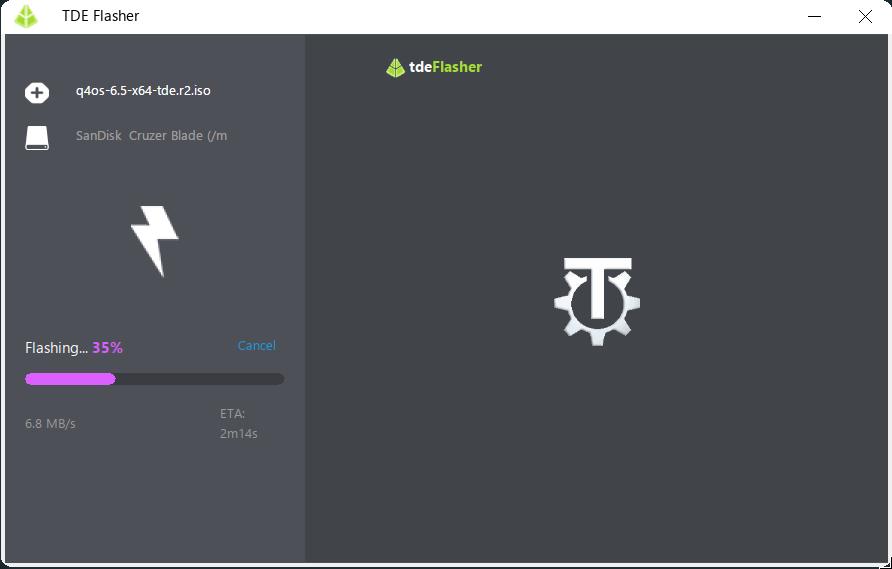
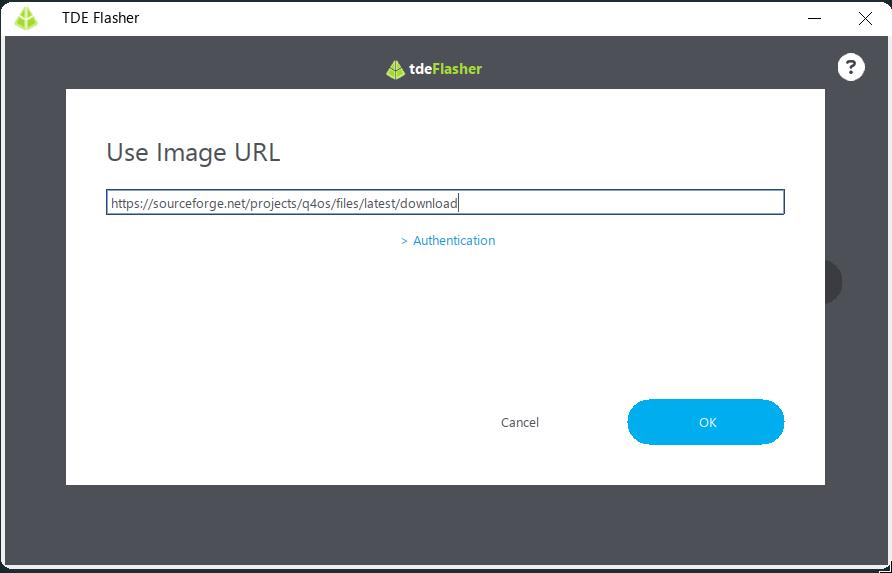
Last edited by seb3773 (2026-03-17 03:32)
Debian & Q4OS (TDE!!), low-level C, ASM (z80/68k/x86/ARM64), embedded systems, CPU architectures (RISC-V, binary formats, assembly), retro-computing, metal music, guitar and sci-fi.
Offline
#2 2026-03-17 05:08
- tlmiller76
- Member
- From: AZ, USA
- Registered: 2016-11-29
- Posts: 501
Re: tdeFlasher
That's really cool. Good work.
Q4OS Trinity machine - HP Probook 445 G11. AMD Ryzen 7 7735U, 16GB DDR5, 512GB m.2 NVMe SSD, Radeon RX780M, MediaTek MT7922 (AMD RX616) Wifi 6E + BT 5.2, 14" WUXGA 400-nit LCD.
Offline
#3 2026-03-17 19:58
- Midas
- Member

- Registered: 2017-12-15
- Posts: 266
Re: tdeFlasher
Uber-cool, indeed. I'm partial to Rufus for this purpose (under Windows) but really appreciate your achievement. 
Last edited by Midas (2026-03-17 19:59)
Offline
#4 2026-03-17 20:08
- q4osteam
- Q4OS Team

- Registered: 2015-12-06
- Posts: 6,352
- Website
Re: tdeFlasher
+1 .. Really cool
Offline
#5 2026-03-20 01:25
- FlexQ4
- Member
- Registered: 2017-02-19
- Posts: 267
Re: tdeFlasher
Hello !
Here’s the app that probably nobody was waiting for...
That's not correct  - i did wait for it!
Until now i did the flashing allway with Rufus... will utilize it at the end of the year, when the support for Gemini runs out.
However, at this moment i'm not at all sure, whether it will then be Q4OS 5, 6,... or maybe even 7
Offline
#6 Yesterday 09:24
- FlexQ4
- Member
- Registered: 2017-02-19
- Posts: 267
Re: tdeFlasher
As promised above, and since "Gemini" reached it's "EoL" lately (see https://www.q4os.org/forum/viewtopic.php?id=6241), i tried to prepare a USB installer of a more recent version of Q4OS with the latest tdeflasher_1.0.0_amd64.deb from github.
Unfortunately it doesn't start:
~/Portable\> ./tdeflasher.AppImage
/tmp/.mount_tdefladMCeJf/usr/bin/tdeflasher: error while loading shared libraries:
libidn.so.12: cannot open shared object file: No such file or directory
Offline
#7 Yesterday 18:10
- seb3773
- Member
- From: France
- Registered: 2023-11-01
- Posts: 268
Re: tdeFlasher
As promised above, and since "Gemini" reached it's "EoL" lately (see https://www.q4os.org/forum/viewtopic.php?id=6241), i tried to prepare a USB installer of a more recent version of Q4OS with the latest tdeflasher_1.0.0_amd64.deb from github.
Unfortunately it doesn't start:~/Portable\> ./tdeflasher.AppImage /tmp/.mount_tdefladMCeJf/usr/bin/tdeflasher: error while loading shared libraries: libidn.so.12: cannot open shared object file: No such file or directory
Fixed, thanks for the report Appimage updated ( https://github.com/seb3773/tdeflasher/releases/tag/v1)
Debian & Q4OS (TDE!!), low-level C, ASM (z80/68k/x86/ARM64), embedded systems, CPU architectures (RISC-V, binary formats, assembly), retro-computing, metal music, guitar and sci-fi.
Offline
#8 Yesterday 22:43
- FlexQ4
- Member
- Registered: 2017-02-19
- Posts: 267
Re: tdeFlasher
Thank you, seb3773! But it still fails to start - with the next lib missing:
~/Portable\> ./tdeflasher.AppImage
/tmp/.mount_tdeflaDefAil/usr/bin/tdeflasher: error while loading shared libraries:
libssl.so.3: cannot open shared object file: No such file or directory
Offline
#9 Today 00:38
- seb3773
- Member
- From: France
- Registered: 2023-11-01
- Posts: 268
Re: tdeFlasher
Sorry for this! and thank you very much for reporting this new problem.
I just understood the issue occurred because the AppImage was built on my system, Debian 12, which strictly required OpenSSL 3 (libssl.so.3), whereas it seems your system uses a different OpenSSL version (like OpenSSL 1.1 for example).
So ! As I didn't want to package libssl.so.3 too in the appimage because it will be >10MB, (not acceptable at my opinion for this kind of tool), I updated network support (libcurl) to load dynamically at runtime via dlopen. It should seamlessly uses your host system's native SSL library without enforcing OpenSSL 3.
Updated AppImage re-uploaded to the release page:
https://github.com/seb3773/tdeflasher/releases/tag/v1
Could you please download it again and give it a try? Let me know if it's ok now
Debian & Q4OS (TDE!!), low-level C, ASM (z80/68k/x86/ARM64), embedded systems, CPU architectures (RISC-V, binary formats, assembly), retro-computing, metal music, guitar and sci-fi.
Offline
#10 Today 12:17
- FlexQ4
- Member
- Registered: 2017-02-19
- Posts: 267
Re: tdeFlasher
Absolutely nothing to apologize for - i have to thank you!
Tbh: i already thought that the cause is the now old-old-old Debian 11 versions of libraries still here.
Well, i just inteded to test-install the brand new Perseus testing version, just for curiosity, and, for the very first time create the USB directly in Linux (still Gemini). (Before installing Aquarius - with a stick already prepared on Windows (XP ) )
Now, the lates versions produces:
~/Portable\> ./tdeflasher.AppImage
/tmp/.mount_tdeflamokfMg/usr/bin/tdeflasher: /lib/x86_64-linux-gnu/libc.so.6: version `GLIBC_2.34' not found (required by /tmp/.mount_tdeflamokfMg/usr/bin/tdeflasher)
/tmp/.mount_tdeflamokfMg/usr/bin/tdeflasher: /lib/x86_64-linux-gnu/libc.so.6: version `GLIBC_2.33' not found (required by /tmp/.mount_tdeflamokfMg/usr/bin/tdeflasher)
/tmp/.mount_tdeflamokfMg/usr/bin/tdeflasher: /lib/x86_64-linux-gnu/libstdc++.so.6: version `GLIBCXX_3.4.29' not found (required by /tmp/.mount_tdeflamokfMg/usr/bin/tdeflasher)
/tmp/.mount_tdeflamokfMg/usr/bin/tdeflasher: /lib/x86_64-linux-gnu/libc.so.6: version `GLIBC_2.33' not found (required by /tmp/.mount_tdeflamokfMg/usr/lib/libtqt-mt.so.3)
/tmp/.mount_tdeflamokfMg/usr/bin/tdeflasher: /lib/x86_64-linux-gnu/libc.so.6: version `GLIBC_2.34' not found (required by /tmp/.mount_tdeflamokfMg/usr/lib/libtqt-mt.so.3)
/tmp/.mount_tdeflamokfMg/usr/bin/tdeflasher: /lib/x86_64-linux-gnu/libc.so.6: version `GLIBC_2.34' not found (required by /tmp/.mount_tdeflamokfMg/usr/lib/libtdecore.so.14)
/tmp/.mount_tdeflamokfMg/usr/bin/tdeflasher: /lib/x86_64-linux-gnu/libc.so.6: version `GLIBC_2.33' not found (required by /tmp/.mount_tdeflamokfMg/usr/lib/libtdecore.so.14)
/tmp/.mount_tdeflamokfMg/usr/bin/tdeflasher: /lib/x86_64-linux-gnu/libc.so.6: version `GLIBC_2.36' not found (required by /tmp/.mount_tdeflamokfMg/usr/lib/libarchive.so.13)
/tmp/.mount_tdeflamokfMg/usr/bin/tdeflasher: /lib/x86_64-linux-gnu/libc.so.6: version `GLIBC_2.33' not found (required by /tmp/.mount_tdeflamokfMg/usr/lib/libarchive.so.13)
/tmp/.mount_tdeflamokfMg/usr/bin/tdeflasher: /lib/x86_64-linux-gnu/libc.so.6: version `GLIBC_2.33' not found (required by /tmp/.mount_tdeflamokfMg/usr/lib/libgcrypt.so.20)
/tmp/.mount_tdeflamokfMg/usr/bin/tdeflasher: /lib/x86_64-linux-gnu/libc.so.6: version `GLIBC_2.33' not found (required by /tmp/.mount_tdeflamokfMg/usr/lib/libDCOP.so.14)
/tmp/.mount_tdeflamokfMg/usr/bin/tdeflasher: /lib/x86_64-linux-gnu/libm.so.6: version `GLIBC_2.35' not found (required by /tmp/.mount_tdeflamokfMg/usr/lib/libart_lgpl_2.so.2)
/tmp/.mount_tdeflamokfMg/usr/bin/tdeflasher: /lib/x86_64-linux-gnu/libc.so.6: version `GLIBC_2.32' not found (required by /tmp/.mount_tdeflamokfMg/usr/lib/libgpg-error.so.0)
/tmp/.mount_tdeflamokfMg/usr/bin/tdeflasher: /lib/x86_64-linux-gnu/libc.so.6: version `GLIBC_2.34' not found (required by /tmp/.mount_tdeflamokfMg/usr/lib/libgpg-error.so.0)
But PLEASE don't bother if it's getting too complcated to get it runnable on an old-old-old system like mine!
Offline
#11 Today 14:59
- seb3773
- Member
- From: France
- Registered: 2023-11-01
- Posts: 268
Re: tdeFlasher
I understand, it's a retro compability problem, my build machine runs on Debian 12 (Bookworm), which uses GLIBC 2.36 and GCC 12. And this is the fundamental rule of AppImage and the Linux world: 'A binary compiled on a recent Linux can NEVER run on an older Linux.'
(GLIBC ensures forward compatibility— a binary built on Ubuntu 20.04 will run on Ubuntu 24.04—but never the reverse.)
So, to solve this, I have built a dedicated legacy-compatible AppImage built on an older toolchain (GLIBC 2.31 / Ubuntu 20.04 base) to support older distributions like yours.
You can try tdeflasher-legacy-x86_64.AppImage directly here:
https://github.com/seb3773/tdeflasher/r … 4.AppImage
hope this time it's ok
(one last thing: you maybe need to launch with root privileges to write on the usb device)
Debian & Q4OS (TDE!!), low-level C, ASM (z80/68k/x86/ARM64), embedded systems, CPU architectures (RISC-V, binary formats, assembly), retro-computing, metal music, guitar and sci-fi.
Offline
Pages: 1
- Registered users online in this topic: 0, guests: 1