You are not logged in.
- Topics: Active | Unanswered
Pages: 1
#1 2025-11-28 19:00
- Rademes
- Member

- From: Latvia
- Registered: 2015-12-13
- Posts: 681
[Solved] Change font size in Firefox
Good day!
How can I change the font size in Firefox?
The method written here does not working in Q4OS Andromeda: https://www.q4os.org/forum/viewtopic.php?pid=286#p286
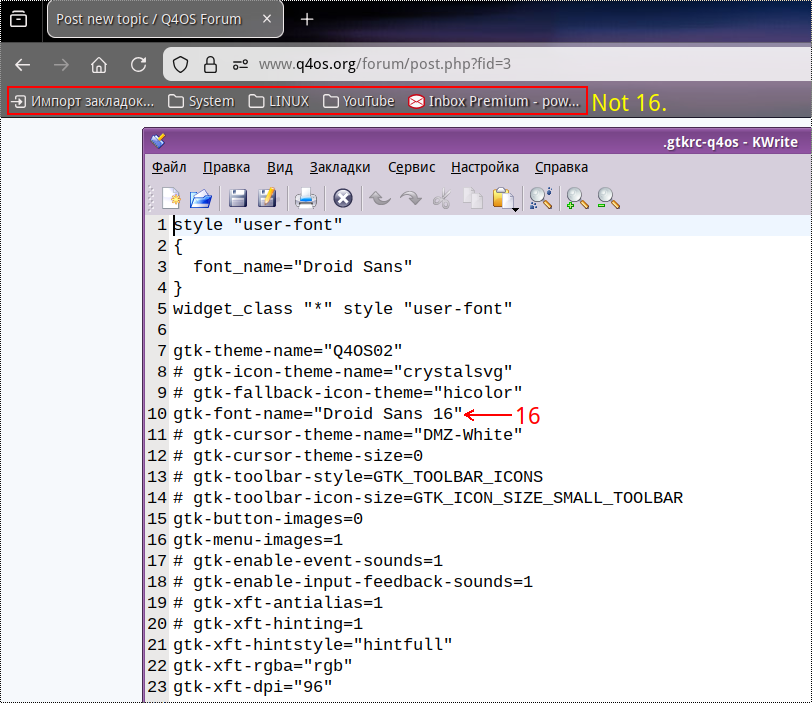
I have set up font size - 16, but Firefox fonts are still small (see attachment).
Update: I have set up font size - 20, but Firefox fonts are still small (see attachment). They did not changed at all.

Last edited by Rademes (2025-11-29 16:27)
Before asking for help please read this topic: https://www.q4os.org/forum/viewtopic.php?id=3502
Offline
#2 2025-11-29 09:03
- hchiper
- Member

- From: Belgium
- Registered: 2020-07-28
- Posts: 837
Re: [Solved] Change font size in Firefox
The post you looked at is 10 years old.
Within Firefox, click the "hamburger" in the top right corner, browse to the Font settings and select your preferred size.
Of course, this will be the default setting and it will be overridden by any font directive contained in web pages or style sheets.
Q4OS machine: Samsung R519 - Pentium T4200 2.0 GHz - 4 GB RAM - 500 GB SSD
Online
#3 2025-11-29 15:43
- Midas
- Member

- Registered: 2017-12-15
- Posts: 275
Re: [Solved] Change font size in Firefox
Maybe some of the options described in the following article will help -- especially the 'layout.css.devPixelsPerPx' setting in "about:config":
https://www.askvg.com/fix-ui-scaling-an … -versions/
Last edited by Midas (2025-12-04 02:42)
Offline
#4 2025-11-29 16:00
- Rademes
- Member
- From: Latvia
- Registered: 2015-12-13
- Posts: 681
Re: [Solved] Change font size in Firefox
The post you looked at is 10 years old.
Within Firefox, click the "hamburger" in the top right corner, browse to the Font settings and select your preferred size.
Of course, this will be the default setting and it will be overridden by any font directive contained in web pages or style sheets.
This solution does not working!
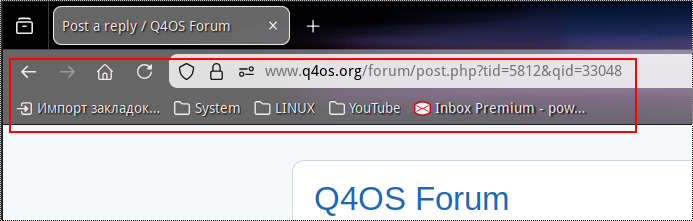
I want to change Firefox menu and toolbar font size, not the webpage font size. (See attachment)
Before asking for help please read this topic: https://www.q4os.org/forum/viewtopic.php?id=3502
Offline
#5 2025-11-29 16:04
- theasmitkid
- Member
- From: NCT of Delhi
- Registered: 2025-01-26
- Posts: 357
Re: [Solved] Change font size in Firefox
Try tinkering with the following flag in about:config
layout.css.devPixelsPerPxCoding & Robotics Enthusiast | Windows 7 x86 @ n2600 · 2GB · 320GB HDD (No graphics acceleration available in linux)
Offline
#6 2025-11-29 16:26
- Rademes
- Member
- From: Latvia
- Registered: 2015-12-13
- Posts: 681
Re: [Solved] Change font size in Firefox
Thank you Midas and theasmitkid!
Your solutions worked.
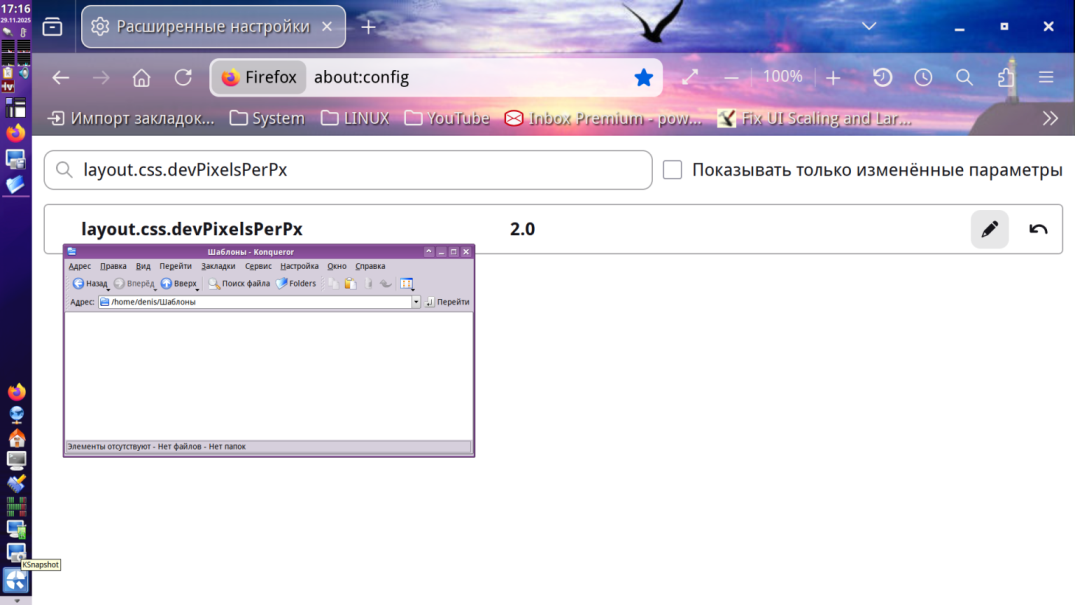
After changing the flag layout.css.devPixelsPerPx, I was able to change the menu font size.

Last edited by Rademes (2025-11-29 16:26)
Before asking for help please read this topic: https://www.q4os.org/forum/viewtopic.php?id=3502
Offline
#7 2025-11-29 16:36
- Rademes
- Member
- From: Latvia
- Registered: 2015-12-13
- Posts: 681
Re: [Solved] Change font size in Firefox
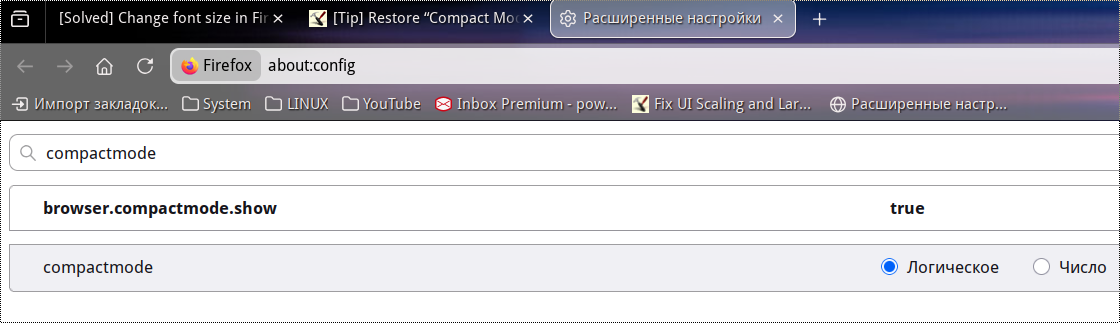
I have also restored Compact Mode in Firefox using browser.compactmode.show flag.
Last edited by Rademes (2025-11-29 16:36)
Before asking for help please read this topic: https://www.q4os.org/forum/viewtopic.php?id=3502
Offline
Pages: 1
- Registered users online in this topic: 0, guests: 1